Smartphone NFC
Tap each tag one by one. Great for small item counts or pinpoint checks — and you can start with just the phone you already own.
HARDWARE GUIDE — 00 UHF START
Step up from smartphone NFC to a UHF reader. Read many items at once, even at a distance, and dramatically cut stocktaking time.
Already have a UHF reader? Check the supported readers list.
01 WHY UHF
Smartphone NFC reads one tag at a time — reliable, but the effort adds up as item counts grow. A UHF reader scans many distant items in a single pass, so stocktakes fly.
Tap each tag one by one. Great for small item counts or pinpoint checks — and you can start with just the phone you already own.
Reads many distant tags in one pass — even items inside shelves or boxes, no tapping needed. The more items you have, the bigger the time savings on stocktakes.
02 READERS
Start with one UHF reader. Prices are the tax-included sales prices at our NFC Store.
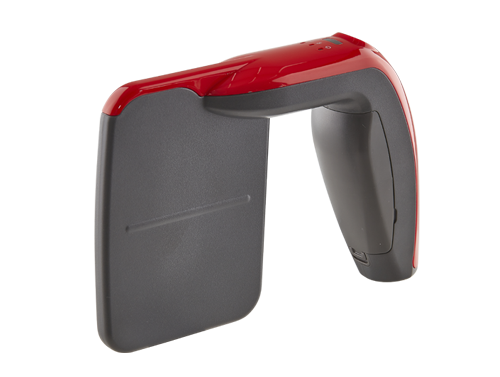
The ideal first reader
▶ Demo: bulk-reading UHF tags with the RF-Prisma (silent, captioned)
¥198,000incl. tax
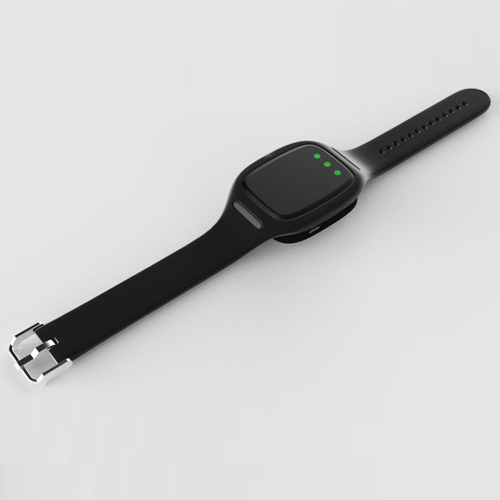
For bulk registration via PC
▶ Demo: bulk-registering UHF tags with the BU01 (silent, captioned)
¥110,000incl. tax
For how to choose among these and other models, see How to choose an RFID reader (RFID Navi).
03 BUY TAGS
NFC and UHF IC tags in general are available from this shop. For choosing by use case — metal surfaces, outdoors, small items — see How to choose RFID tags (RFID Navi).
Find IC tags04 LED TAGS
When searching for an item with a reader, a tag that lights itself up makes it much easier to find. Here are three options for different needs. Prices are the tax-included sales prices at our NFC Store.
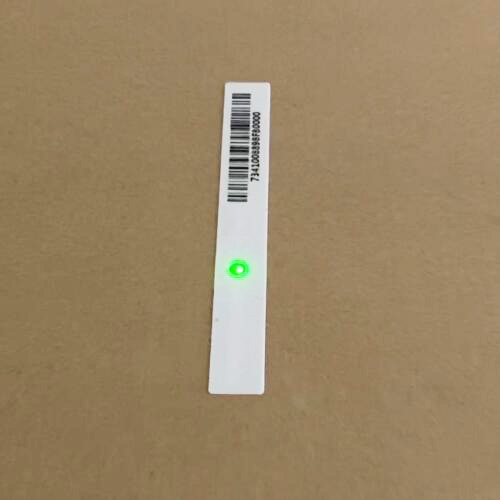
Passive UHF tag with LED
Lights up during search
※ The light is fairly dim.
¥220incl. tax
Buy at NFC StoreManufacturer detailsSee how to use it on our blog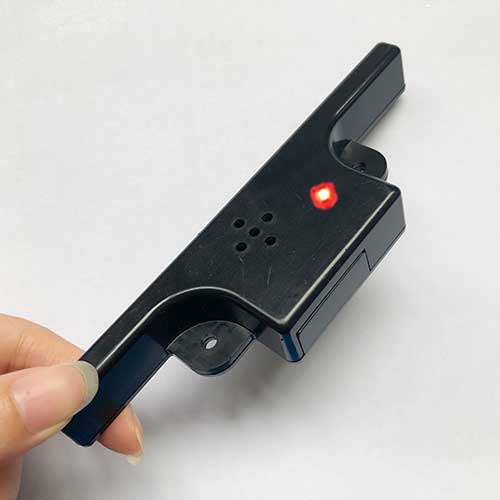
Semi-passive UHF tag with LED/buzzer
Lights up during search
※ Built-in battery — can be lit from farther away.
¥2,200incl. tax
Buy at NFC StoreManufacturer detailsSee how to use it on our blog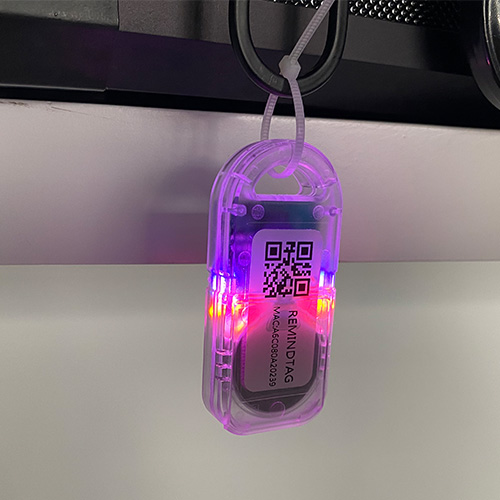
BLE tag with LED/buzzer/temperature sensor
Lights up during search and measures temperature
※ This is a BLE tag, not a UHF tag.
¥5,500incl. tax
Buy at NFC StoreManufacturer detailsSee how to use it on our blog05 STEPS
01
Pick a UHF reader above that fits your needs. A 250mW model that needs no license is a safe first choice.
02
Pair the MANICA app with your reader over Bluetooth. The BU01 also works for bulk registration via PC.
03
Attach and register UHF tags on items, then read many distant items at once and breeze through stocktakes.
Items already managed via NFC can keep working as-is. You can add UHF gradually.
Once you're up and running, see Reducing misreads and missed reads and Standardizing stocktake operations (both on RFID Navi).
06 COST
Once bulk UHF reading speeds up your stocktakes, your managed items will naturally grow. Beyond the free 50 items, simply switch to a paid plan scaled to your item count — same data, same workflow. Pricing is a simple per-item-count system.
Hardware costs (readers, tags) are separate from MANICA's usage fees, which are based on the number of managed items.
Free forever up to 50 items. Step up to UHF whenever you're ready.